What this step is
You paste in two keys. The rest is handled.
Claude handles
- Creates the
PASTE_HEREplaceholders in Infisical - Sets your project URL for you (from the Session 2 connector)
- Stages the
NEXT_PUBLIC_copies the app needs
You paste in
- anon key — the public API key
- service_role key — the secret, server-side key
- That's it. Two values into two placeholders.
Nothing reads the vault yet — and that's fine. You're staging these keys so your Vercel deploy can read them at Session 5. The vault is storage for now.
In Supabase / Project URL
Your Project URL fills two variables.
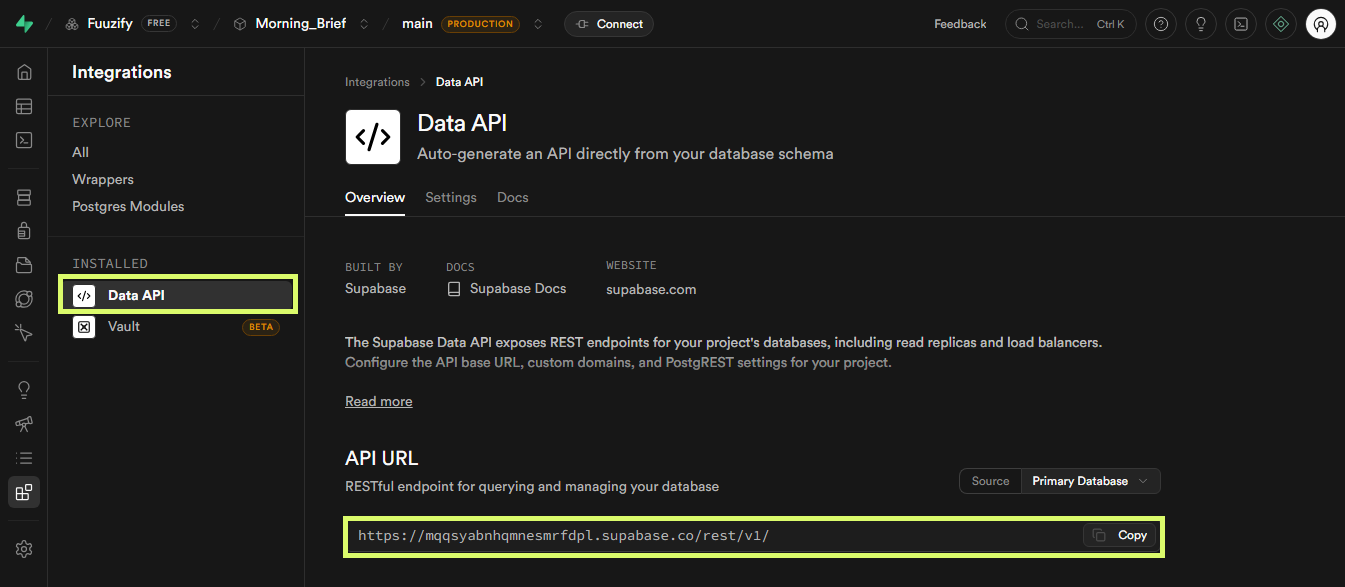
Easiest path: if you connected the Claude Supabase connector in Session 2, Claude sets this URL for you, in both
SUPABASE_URL and NEXT_PUBLIC_SUPABASE_URL. The URL is not a secret, so it is fine to let Claude handle it or share it in chat.Doing it by hand? The Data API page shows the URL with
/rest/v1/ on the end. Your value is only the part up to .co. Remove everything after .co or the app will not connect. Claude does this correctly for you.In Supabase / Grab the keys
Copy the anon and service_role keys.
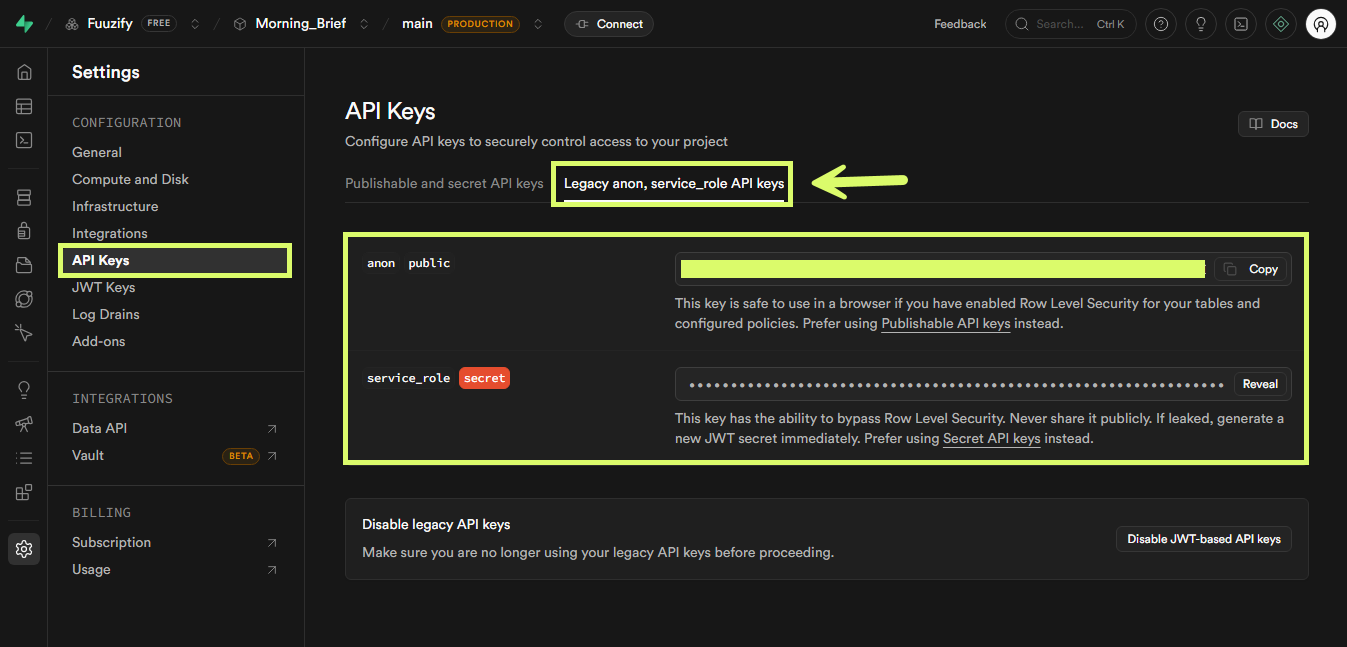
Project Settings → API Keys → the Legacy anon, service_role API keys tab. Copy the anon key, then Reveal and copy the service_role key. You need both.
service_role is powerful — it bypasses Row Level Security. You do need it for the deploy, so vault it, but it only ever lives in Infisical and server-side env vars. Never put it in client code or commit it to git.
How the keys map
Three values fill five variables.
| Supabase value | Where it comes from | Fills these Infisical variables |
|---|---|---|
| Project URL | Set by Claude for you (from the Session 2 connector) |
SUPABASE_URLNEXT_PUBLIC_SUPABASE_URL
Same value, stored twice
|
| anon public key | API Keys → Legacy tab → Copy |
SUPABASE_ANON_KEYNEXT_PUBLIC_SUPABASE_ANON_KEY
Same value, stored twice
|
| service_role key | API Keys → Legacy tab → Reveal |
SUPABASE_SERVICE_ROLE_KEY
Server-side only, stored once
|
The URL and the anon key each do double duty: once plain (server-side) and once with the
NEXT_PUBLIC_ prefix (exposed to the browser). Same value, two names. service_role stays server-side, so it's stored once.In Infisical / Fill the placeholders
Paste each key into its placeholder.
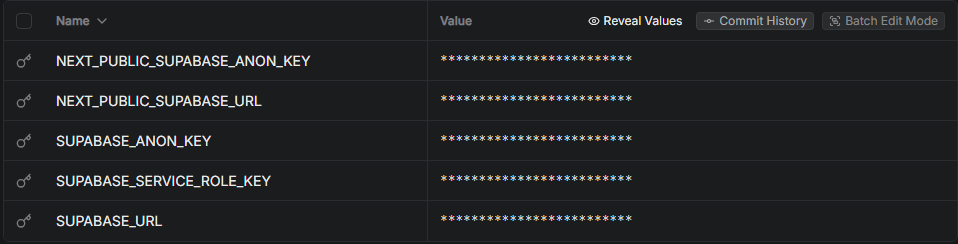
Claude already created the rows and set the URL. Open the
PASTE_HERE placeholder for SUPABASE_ANON_KEY and paste the anon key; do the same for SUPABASE_SERVICE_ROLE_KEY with the service_role key. Save.